Contents of the package
Please verify that the following contents are included in the package.
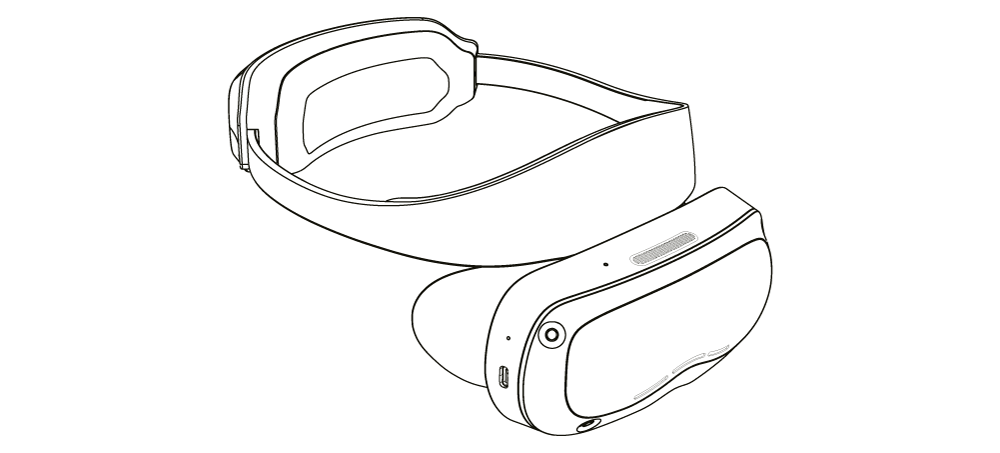
All-in-one VR Headset

Removable head strap
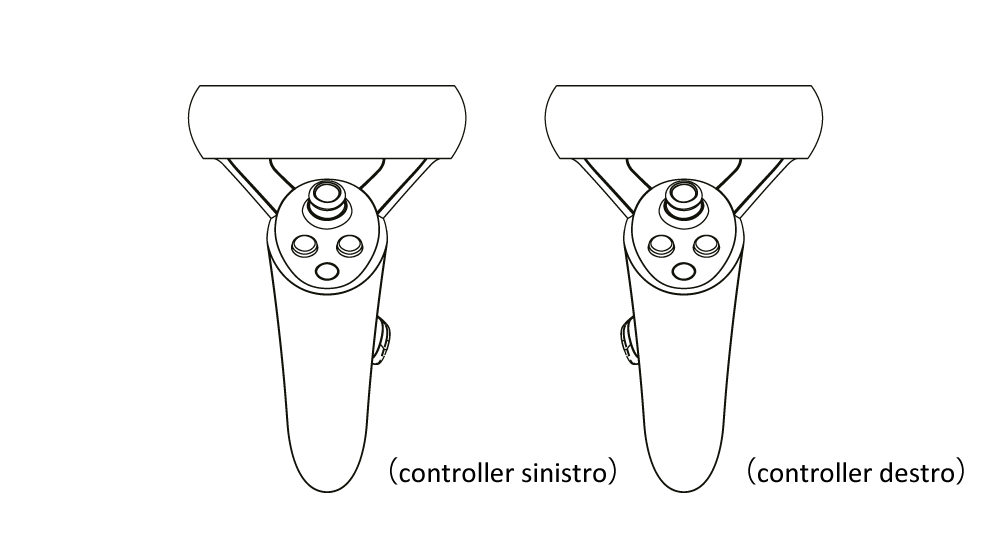
Controller 6DoF2
(The controllers run on 1.2V AA batteries, which are not included in the package.)
Overview of Components
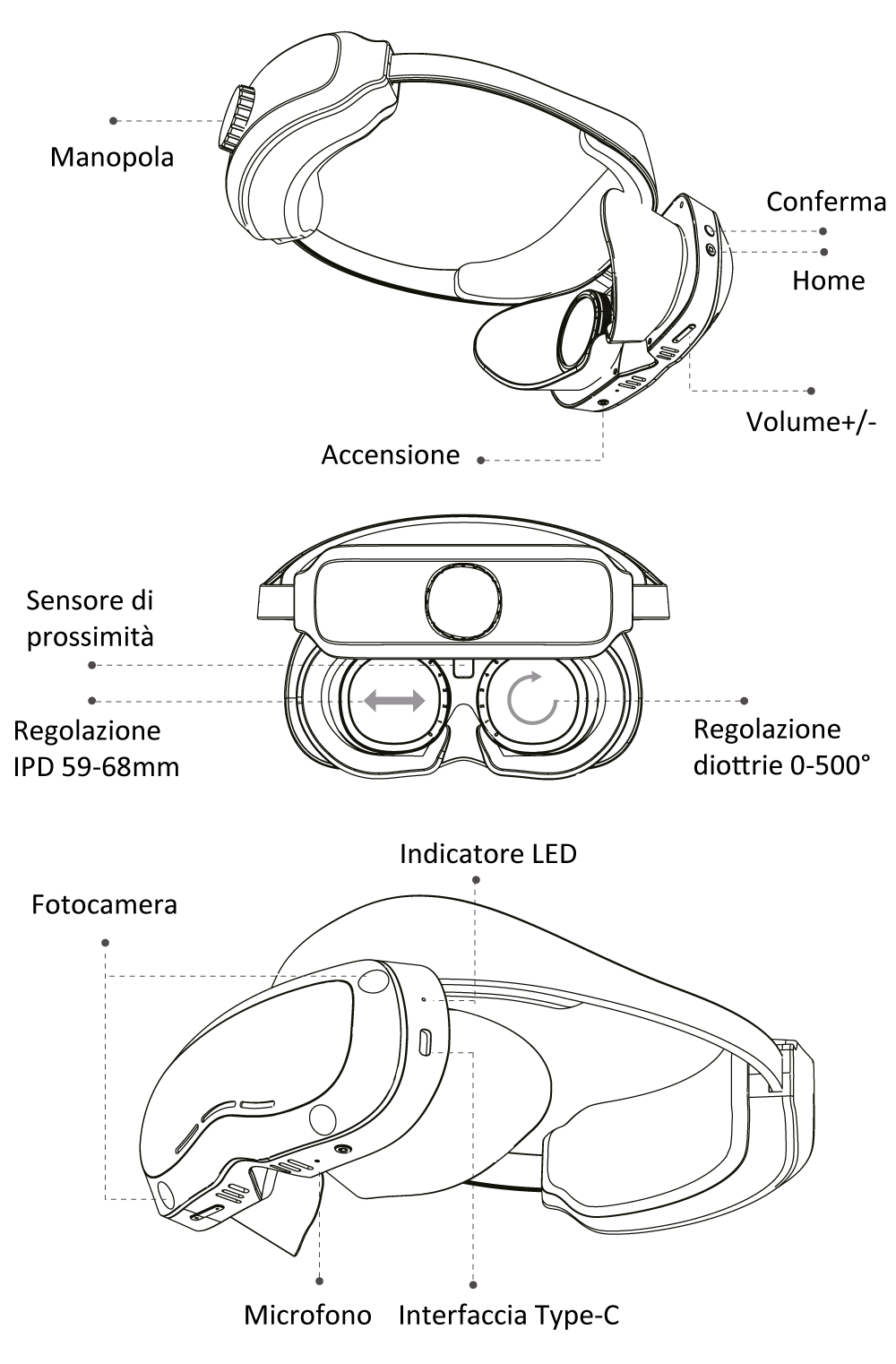
1. All-in-One Headset
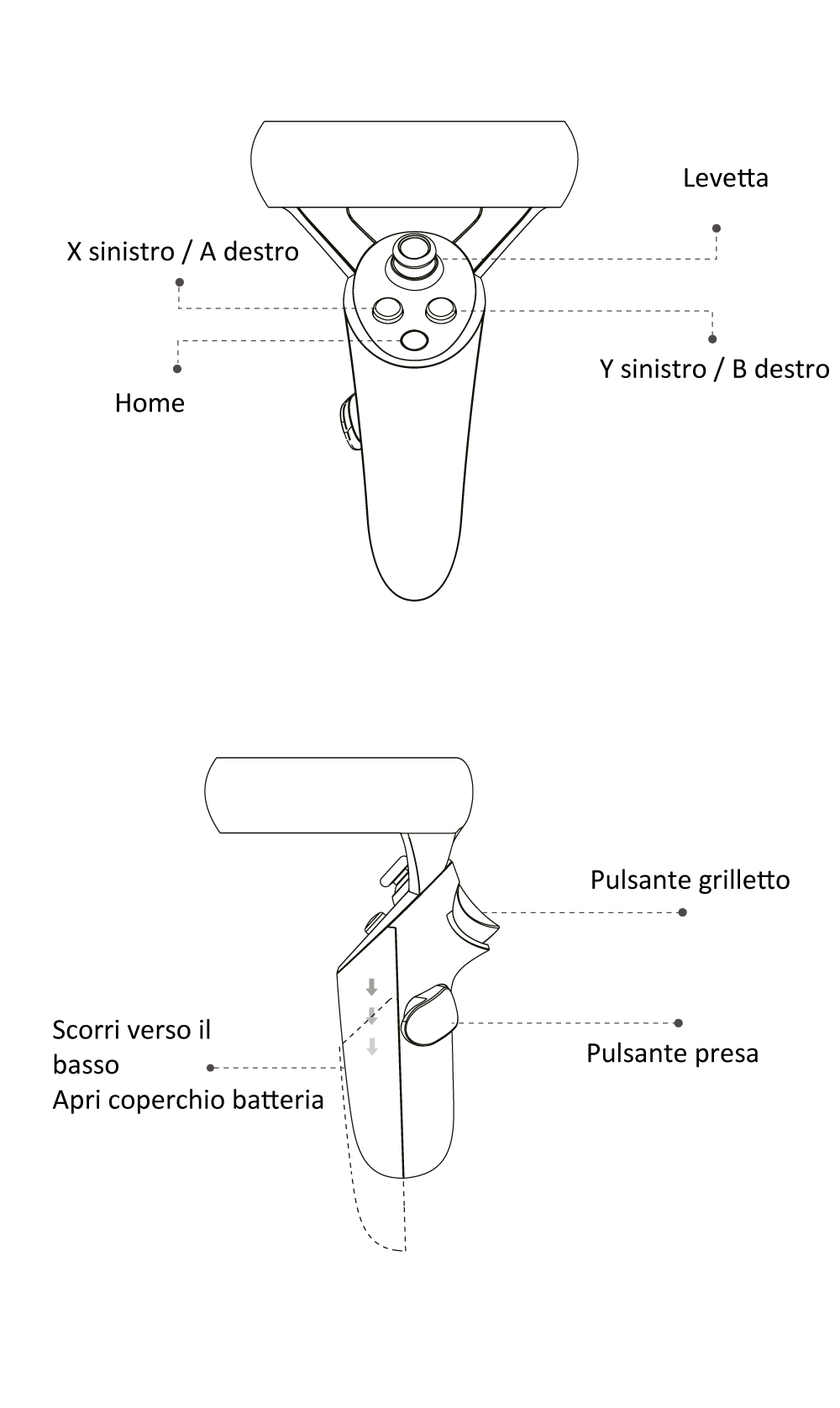
2. Controller 6DOF
Getting Started
1.Buttons, Interface, and Status Indicator Instructions
| Headset Interface | Operation Description | |
|---|---|---|
| Power Button | Long press (> 2s) | Power On Open UI |
| Confirm Button | Short Press | Confirm (No effect when controller is connected) |
| Home Button | Short press Long Press | Open Shortcut Menu Re-center Scene |
| Volume +/- | Short press Long Press Double click | Volume +/- by 1 level Max/Min Volume Volume +/- by 2 levels |
Note: Press and hold for 6 seconds to quickly power off.
In case of a freeze, press and hold for 10 seconds to force a restart.
| Power On/Off | Status Description |
|---|---|
| Power On (Battery > 10%) | Flashes rapidly for 1s, Blue LED |
| Power On (Battery < 10%) | Flashes rapidly for 3s, Red LED |
| Power Off | Flashes rapidly for 1s, Red LED Long Press |
| Status Indicator | Description |
|---|---|
| Solid Green Light | Battery charge >90% Charging: Green breathing/pulsing |
| Solid Blue Light | Battery charge between 20% and 90% Charging: Blue breathing/pulsing
|
| Solid Red Light | Battery charge <20% Charging: Red breathing/pulsing |
| No Light/ LED off | Battery is deeply discharged and enters pre-charge mode Charging: Red and blue LEDs pulse alternately |
| Data Cable Interface Status | Status Description |
|---|---|
| USB Cable Insertion/Removal | The blue light flashes rapidly for 3 seconds |
| Headset Interface | Operation Description |
|---|---|
| Type-C Interface | Charging / Data Transfer |
Controller Buttons / Indicator Status Description
| Controller Buttons | Operation Description | |
|---|---|---|
| Trigger Button | Short Press | Confirm |
| Home Button | Long Press | Access Shortcut Menu |
Product Specifications
| Name | Leonardo XR |
| Model | LEONARDO GEN 1 |
| CPU | Qualcomm XR2, 8 cores, 64-bit |
| OS | Android 10 |
| Resolution | 3200×1600 |
| Memory | 6GB RAM + 128GB Storage |
| FoV | 95°–105° |
| PPI | 1058 |
| Wireless Network | Wi-Fi 6 |
| Lenses | Pancake |
| Fast Charging | QC 3.0 |
| Battery | 5500mAh |
| Accessories | Headset, Controllers |
Important Warning
To protect yourself and others from injury, and to prevent damage to your equipment, please read the following safety information before using the device.
- Use the equipment only for its intended purpose.
- It is recommended to operate the device in an environment with temperatures between -10°C and 45°C, and humidity below 80%.
- The battery (battery packs or combined batteries) must not be exposed to conditions such as direct sunlight, fire, or similar overheating.
- Do not operate in environments containing chemical or flammable gases, high temperatures, prolonged humidity, gases and dust capable of corroding metals and destroying insulation, explosive hazards, or other abnormal conditions.
- Take an adequate break after 30 minutes of continuous use. Immediately discontinue use if you experience any physical discomfort.
- Individuals with certain medical conditions (including but not limited to pregnant women, the elderly, binocular vision abnormalities, heart conditions, or psychiatric disorders) are advised to consult a physician before deciding whether to use the device.
- This device is not specifically designed for children. Children under the age of 14 should only use it under adult supervision. If any adverse effects occur, stop use immediately. Adults must also ensure that children under 14 do not use this device for extended periods.
- When using this device, ensure that the surrounding area is safe. Make sure there are no other people, furniture, fixtures, or other obstacles in the usage area. Do not operate the device near stairs, windows, balconies, heat sources, or other objects that may pose a hazard.
- Do not connect the USB data cable while wearing the device.
- The device may emit radio waves that could interfere with the operation of nearby electronic equipment. If the user wears a cardiac pacemaker or any other implantable medical device, consult a physician or the medical device manufacturer before deciding whether to use it.
- 11. Do not use this device at high volume levels for extended periods to avoid hearing damage.
- 12. Avoid contact between the lenses and hard or sharp objects during use. Clean using a provided soft cloth and water; do not use organic solvents for cleaning.
- Pay attention to the correct positioning method; incorrect positioning can easily cause screen damage from intense light exposure.
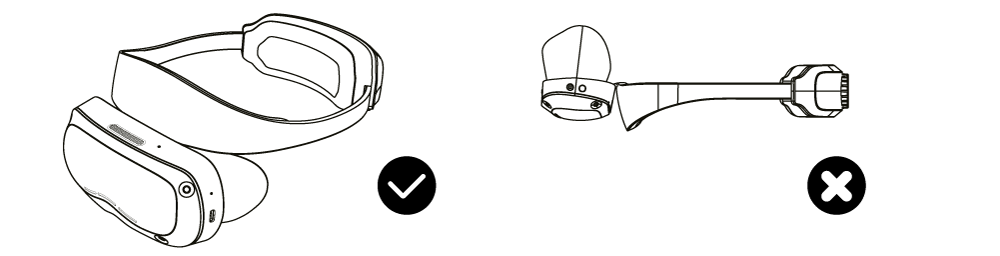
- If the device overheats due to prolonged use, it may cause interface drift. Press and hold the Enter key to correct it.
- Suitable for safe operation only in non-tropical climatic conditions.
- Charger: Input: 100~240V; Frequency: 50-60Hz; 0.5A Output: 5V=3A; 9V=2A
- Transport and store within a temperature range of -20°C to 60°C. The device can withstand short-term exposure and storage at temperatures up to 70°C, but not for more than 24 hours.

Per maggiori informazioni su Leonardo XR, per inviarci un feedback o per collaborare con noi, visita il nostro sito web: https://www.youbiquo.eu
After-sales support: info@youbiquo.eu